
StashTag
Transforming Confusion into Enlightenment.
StashTag is a learning enhancement tool that addresses the problem of "confusion accumulation" faced by students when grappling with abstract concepts or mathematical principles. By storing moments of confusion as timestamps during class, it utilizes AI to generate thorough explanations that reference the content taught at those specific times. Our goal is to help students keep track of their confusion so they can easily identify gaps in their understanding.

Our Unique Features

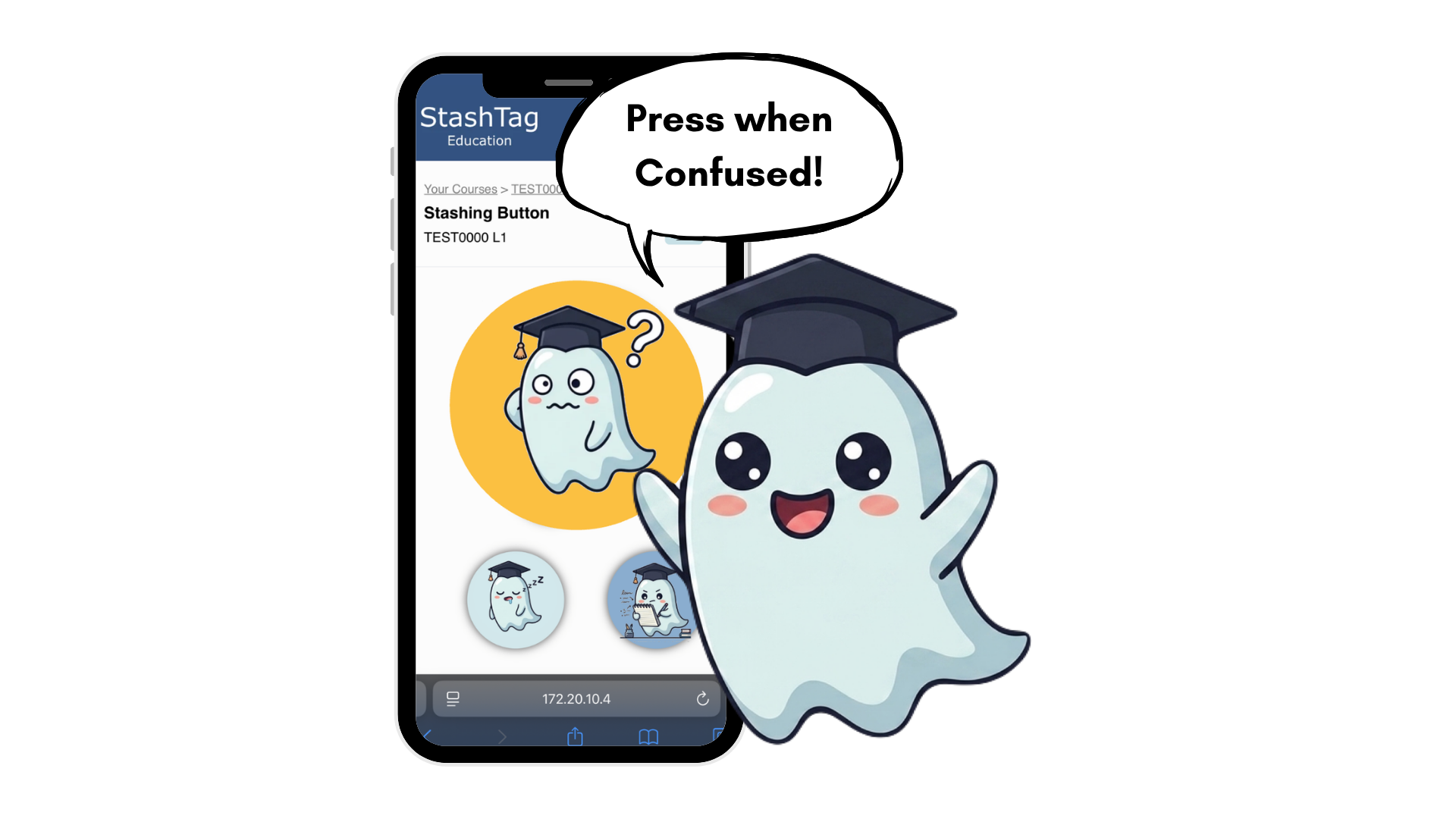
Our iconic huge confusion emoji on the screen for students to press when they feel confused in class.
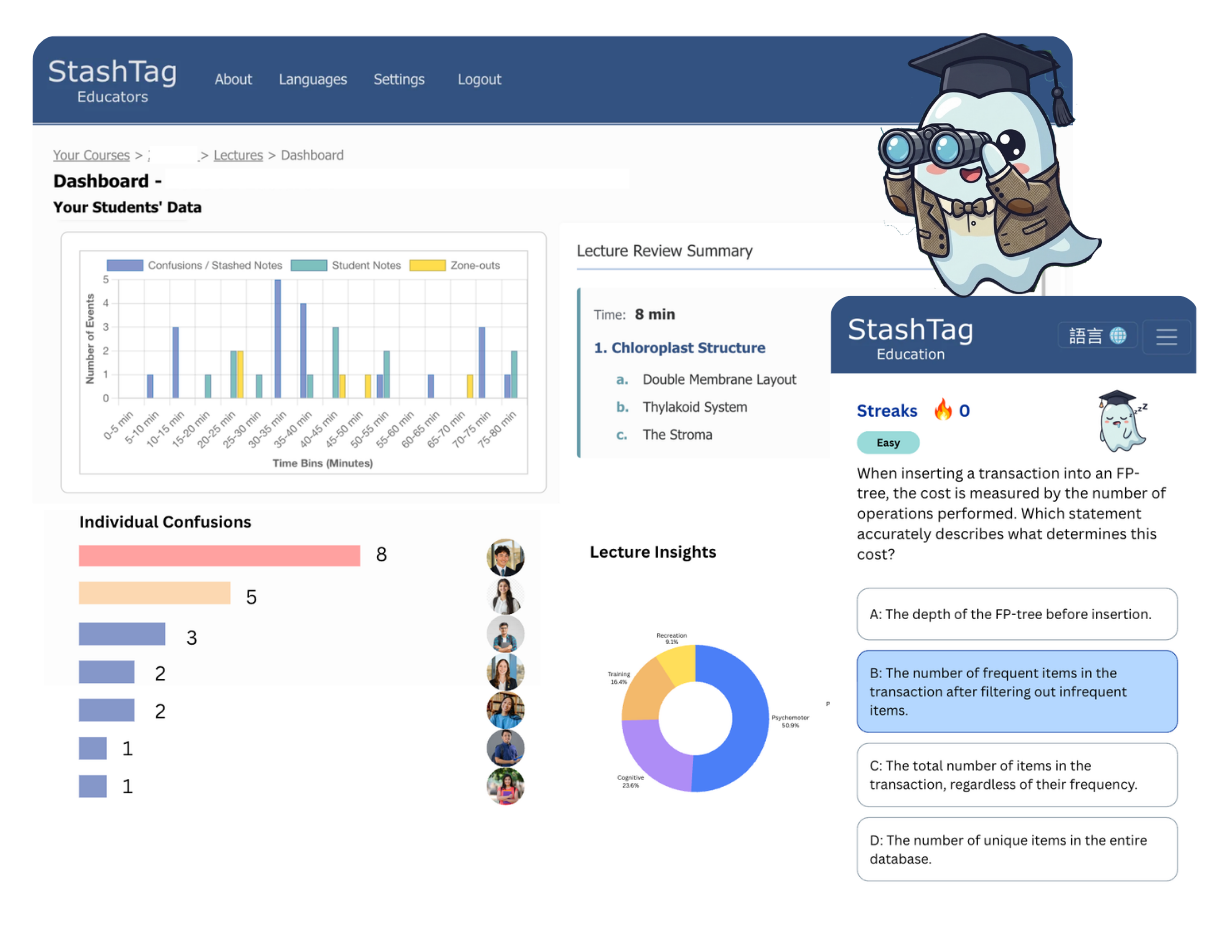
The button presses will be collected anonymously by our system, and displayed to the professor as an overview.
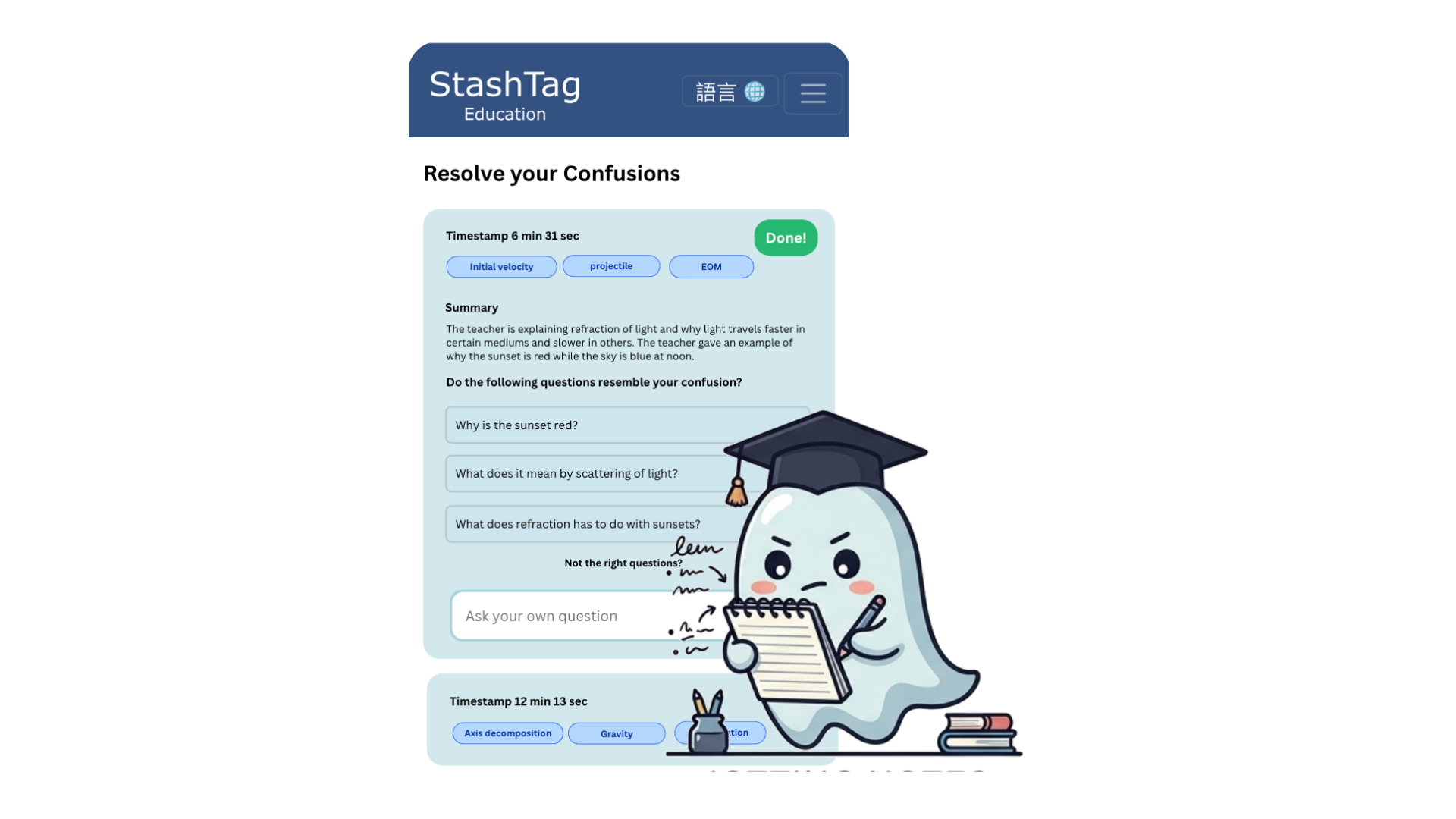
AI-generated snippets to provide targeted information for students according to the time of the button presses. The summaries references from the lecture content at that particular time to provide accurate feedback for points of confusion.
(Optional Feature) Allows professors to see live anonymous button presses from students, to produce timely feedback such as slowing down the pace, or opening the floor for questions.
(Optional Feature) Allow shy students to type a question in our system, which will automatically appear on the professor's screen after it was sent.

Our Mission

...

The Problem We Try to Solve

In STEM courses such as Physics, Mathematics, and Engineering, it’s common for students to encounter confusion at certain points, which caused them to be confused about all the concepts that followed. This can make it challenging for them to identify specific areas of confusion and formulate the right questions to ask the professor to fill those gaps in their knowledge.

...

Students' Perspectives: The “SOS Button” for Confusion

Our system features an interface where the “Confusion” button is displayed as a large confused emoji. When students click this button, the system stores the timestamp and uses AI to generate a short summary along with additional explanations referencing the lecture content at that moment. This quick, nearly effortless action allows students to track their confusion with minimal distraction and facilitates immediate review after the lecture, helping them revisit the material while their memory is still fresh.

...

Professors' Perspectives: Overview of Class Performance

The system collects timestamps anonymously from each lecture and provides professors with an overview of class performance. Professors can easily navigate to the parts of the lecture where the most confusion occurred by clicking on the bars in a bar chart. This feature allows them to reference the confusion in relation to the relevant part of the lecture transcript.

Our Features

...

StashTag's Confusion Button

Our iconic huge confusion emoji on the screen for students to press when they feel confused in class.

...

Professor's Confusion Dashboard

The button presses will be collected anonymously by our system, and displayed to the professor as an overview.

...

Confusion Summaries

AI-generated snippets to provide targeted information for students according to the time of the button presses. The summaries references from the lecture content at that particular time to provide accurate feedback for points of confusion.

...

Live Button Feedback

(Optional Feature) Allows professors to see live anonymous button presses from students, to produce timely feedback such as slowing down the pace, or opening the floor for questions.

...

Asking Question Anonymously in Class

(Optional Feature) Allow shy students to type a question in our system, which will automatically appear on the professor's screen after it was sent.

...

Zone out button (In progress)

Sometimes, students are confused simply because they were thinking about something else 2 minutes ago, or they just zoned out. This button would provide confusion summaries ahead of the time they pressed. It also distinguishes "zoning out" and the "real confusions".